


Adults spend an average of 11 hours daily interacting with screens, impacting health and productivity. Understanding screen time limits and how to set screen time effectively is crucial for improving mental well-being and achieving a sustainable work-life balance. This guide explores why setting screen time limits matters for grown-ups, how it affects your life, and the steps you can take today to improve your relationship with technology.

Understanding Screen Time Limits: Definitions, Facts, and Adult Relevance
Screen time limits refer to the intentional boundaries and rules individuals place on the time they spend in front of a screen—be it for work, social media, or entertainment. While these screen time rules are often discussed for children, the need to set limits is equally important for adults.
In today’s digital world, adults frequently exceed healthy exposure, with many reporting over 10 hours of device usage daily, including during breaks and family time. Managing screen time limits isn’t just a preventative measure; it’s a proactive way to protect your mental, physical, and emotional health from the effects of excessive device usage.
Research links excessive adult screen time to sleep disruption, elevated stress, diminished productivity, and even the erosion of personal relationships. Overuse of screens can blur the boundaries between work and leisure, heightening anxiety and decreasing focus—making it difficult to unwind and recharge.
By setting clear screen time rules, such as app limits and scheduled social media breaks at specific times, adults can better maintain a balanced relationship with technology, safeguarding both well-being and productivity.
“Setting screen time limits isn’t just for kids—adults experience significant gains in sleep quality and mental health when boundaries are applied.”—Dr. Hana Patel, General Practitioner

What You’ll Learn About Screen Time Limits
The science behind adult screen time limits
Impacts of excessive screen use
Practical methods to set screen time limits
Evidence and expert advice to guide your digital wellness journey
The Science Behind Screen Time Limits: How Screens Affect Adult Health
Excessive screen exposure can affect adults much more than commonly assumed. Scientific evidence has shown connections between high screen time and various negative outcomes, such as eye strain, fatigue, and disrupted sleep cycles. Excess blue light exposure from screens suppresses melatonin, affecting circadian rhythm and making restorative sleep elusive.
Moreover, scrolling through social media before bed or responding to late-night emails can trigger stress responses, keeping your mind on high alert when it should be winding down. Understanding these risks clarifies why embracing screen time limits is essential for ongoing health.
While managing screen time is vital for overall well-being, it's also important to consider how your choices around digital devices can impact your eye health. If you're curious about the differences between contacts and glasses and how each option may affect your eyes in a screen-heavy world, you might find this comparison of contacts versus glasses for eye comfort and daily life especially relevant.
Eye Strain, Disrupted Sleep, and Digital Fatigue Associated with Excess Screen Time
Spending long hours on digital devices often leads to eye strain, fuzzy vision, and headaches—a condition growing so common it’s been termed “digital eye strain.” Blue light emitted from screens can also disrupt melatonin production, causing sleep disturbances and even chronic insomnia.
Coupled with constant notifications, this digital fatigue can rapidly decrease energy, dampen motivation, and negatively impact mood. Limiting screen time through app limits and customized time settings helps reduce physical side effects like eye strain, ensuring adults are less prone to technology burnout.
“Frequent screen use leads to significant eye strain and poor sleep hygiene, making screen time limits vital for adult well-being.”—Dr. Lionel Roe, Ophthalmologist
Mental Health Effects: Anxiety, Focus, and Emotional Impact
Excessive screen time isn’t just a physical concern—it carries significant mental and emotional consequences. Many adults report increased anxiety, reduced attention span, and lowered productivity as a result of perpetual connectivity. Social media in particular is linked to heightened anxiety, as the constant comparison to others and the barrage of online stimuli can leave people feeling overwhelmed and dissatisfied.
Limiting screen time, particularly by using screen time settings to schedule device-free hours and mindful social media use, contributes to healthier emotional states, improved focus, and enhanced overall well-being.

Recognizing Signs You Need Screen Time Limits
It can be difficult to recognize when digital habits become harmful. However, certain signs may indicate it’s time to set limits on your screen use. If you notice irritability, recurring fatigue, or declining productivity at work due to excessive screen time, it may be a red flag indicating the need to set screen time limits. Physical indicators are equally telling; these include frequent eye strain, tension headaches, and neck discomfort—signals that your body needs a break from screens.
In addition, increased anxiety after engaging in online activities, especially after scrolling through social media, points to the need for digital boundaries. Understanding and responding to these early symptoms allows you to take action before digital fatigue escalates into more serious health concerns.
Increased irritability or fatigue
Sleep disturbances
Decreased productivity
Physical discomfort (eye strain, headaches)
Heightened anxiety after online activity
When to Set Screen Time Limits: Identifying Risky Digital Habits
Recognizing when desktop, mobile, or recreational device use becomes risky is critical for safeguarding your well-being. The distinction between necessary work screen time and extra screen use for leisure is often blurred, especially for remote workers or those with flexible hours. Occupational screen time is often unavoidable, but it’s the additional, unstructured digital time that frequently leads to excessive exposure.
Experts recommend tracking your device usage and using screen time settings to identify periods of unproductive scrolling or binge-watching that require time limits. If you routinely spend evenings or weekends passively consuming social media or streaming platforms instead of engaging offline, it’s time to implement screen time limits and rethink your digital routine.
Screen Time Limits—Recommended Daily Usage for Adults by Activity (Work vs. Leisure)
Activity |
Recommended Screen Time |
|---|---|
Work (desktop/laptop) |
Up to 6-8 hours (with frequent breaks) |
Leisure (TV/gaming/streaming) |
2 hours or less |
Social Media |
30-60 minutes |
Video Calls |
No more than necessary for communication |

Screen Time Rules and Guidelines: How to Set Screen Time Limits Effectively
Establishing effective screen time rules for adults isn’t just about cutting back hours—it’s about intentionally shaping your digital habits. Start by designating specific device-free zones such as bedrooms or the dinner table, and enforce technology blackouts during certain hours (like after 9 pm). Using app limits and built-in screen time settings on your devices can automate boundaries, making it easier to maintain effective screen time limits.
Another effective approach is to schedule social media breaks, ensuring you engage with technology at designated specific times, rather than impulsively. Prioritizing offline activities with family or friends, and regularly reviewing your habits, will keep your plan agile and responsive to lifestyle changes.
Using App Limits, Social Media Breaks, and Specific Time Settings
To successfully implement screen time limits, start by mapping out the times of day you most frequently use technology for non-essential purposes. Decide on specific times for opening social media apps or streaming services, and stick to these windows. Most smartphones and tablets provide built-in screen time settings that let you set app limits and daily duration caps, helping you limit screen time effectively.
Consider using third-party app limits and screen time monitoring tools if your device’s default screen time settings aren’t sufficient for managing your digital habits. Consistency is key: review your digital routines regularly to ensure your new habits are improving your well-being and productivity, not hindering them.
Establish device-free zones and hours
Use app limits or built-in time settings
Schedule specific times for social media
Prioritize offline activities
Regularly review and adjust time limits
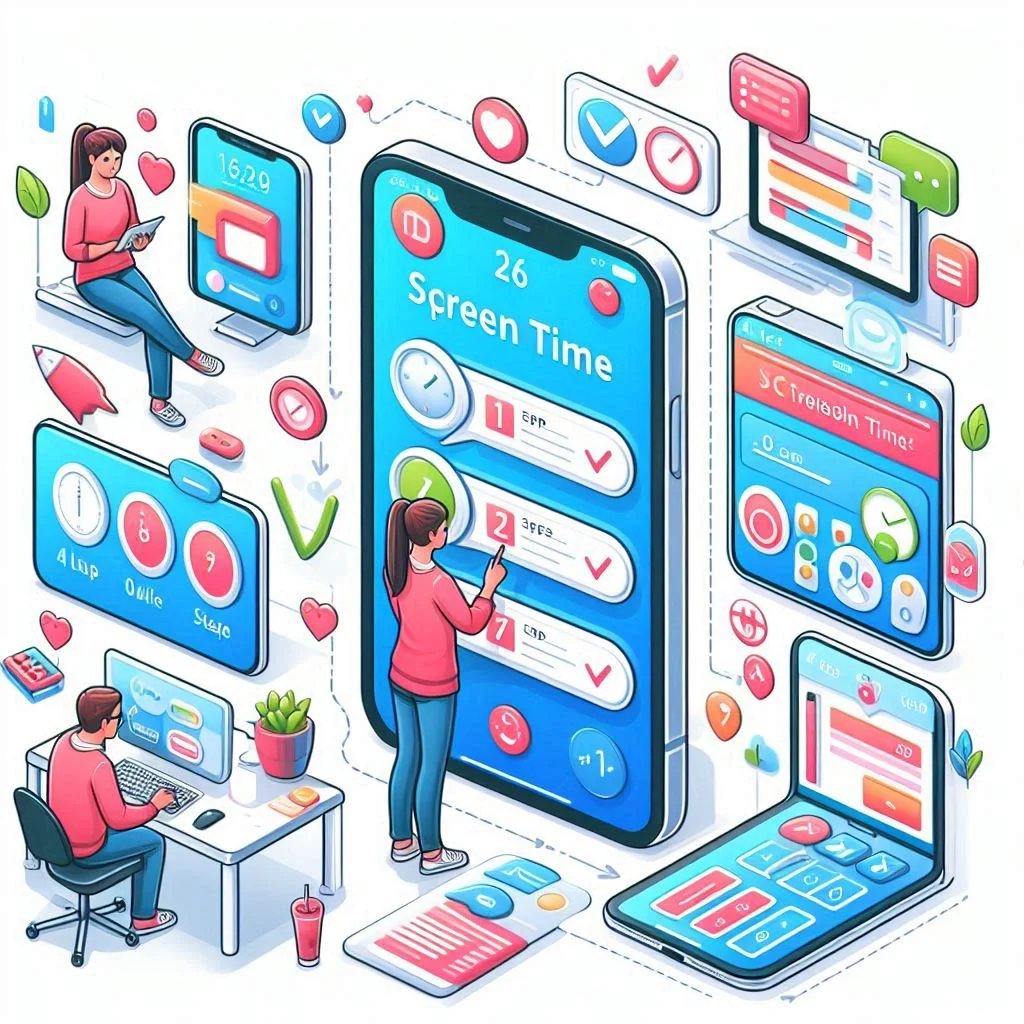
Setting Up Screen Time Limits: Step-by-Step Process for All Devices
Most modern digital devices now provide detailed analytics and control settings to help you limit screen time. Whether you’re using an iPhone, Android, Windows laptop, or tablet, the first step is to open your device’s settings and locate the screen time or digital wellness dashboard.
Here, you can review which apps or activities are consuming the most of your time, and immediately create limitations by setting specific times or maximum daily durations. Explore tools like “Downtime,” “Focus Mode,” or “App Limits” to restrict excessive use, with notifications to help enforce your boundaries.
How to Set Screen Time Limits on Phones, Tablets, and Laptops
Apple and Android phones offer straightforward controls for setting screen time limits. On iPhones, use “Screen Time” in Settings to set app time limits, schedule downtime, and monitor your daily averages. Android’s “Digital Wellbeing” provides similar options, letting you create bedtime modes or mute notifications after certain hours.
Desktop operating systems, such as Windows or MacOS, also have built-in or downloadable parental controls and time management apps for adults. By proactively using these screen time settings, you take the guesswork out of digital wellness and break the pattern of mindless scrolling.
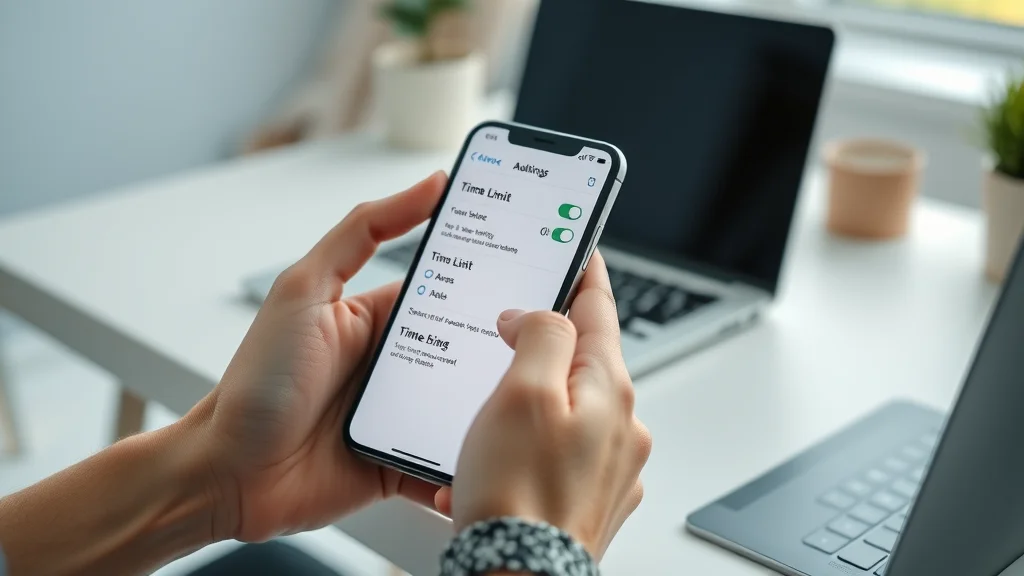
Utilizing Screen Time Settings and Tools Effectively
It’s not enough to simply set screen time once and walk away. Effective management means building a feedback loop into your plan. Utilize built-in analytics to understand your use patterns—a spike in social media or late-night device usage may prompt you to set new, stricter app limits.
Consider inviting a family member or friend to help hold you accountable, or use shared digital wellness tools if your household is managing screen time together. Review reports weekly and adjust limits or rules to match evolving work or personal needs. This proactive approach ensures your relationship with technology remains healthy and productive, rather than overwhelming and compulsive.
Case Study: Successful Implementation of Screen Time Limits for Adults
Consider the experience of professionals who have turned their digital lives around by setting screen time limits. Take Erin Kim, a Licensed Mental Health Counselor, who implemented scheduled app limits and digital breaks as part of a wellness experiment. By using device settings and app-based timers, Erin reduced her non-work screen time by almost 90 minutes per day.
The result: improved work efficiency, less eye strain, and significantly better sleep quality. Her approach illustrates that practical changes—reviewed and refined regularly—can yield significant, measurable benefits for both mind and body.
“After integrating app limits and scheduled digital breaks, I noticed a 20% boost in work efficiency and better sleep.”—Erin Kim, Licensed Mental Health Counselor
The Role of Social Media, Streaming, and Remote Work in Screen Time Limits
Social media and streaming platforms are engineered to maximize engagement, often tricking users into “binge” patterns of consumption. Remote work, while flexible, can blur the line between productive screen use and excess screen exposure. If your work involves frequent video meetings, online collaboration, or constant notifications, you may find yourself checking social feeds or streaming content during work breaks—quickly inflating your total daily device usage. Setting clear time limits for different categories—work, social, leisure—keeps screen time intentional and healthy.
Social media consumption patterns
Streaming habits
Impact of remote work on total screen time

How to Set Specific Screen Time Limits for Apps and Platforms
Each application—whether it be a particular social media platform or a binge-worthy streaming app—should have its own customized limit. Identify which apps consume the bulk of your unproductive time, and use in-app controls or third-party solutions to block or restrict access after specific times.
Developing these targeted strategies prevents extra screen time from creeping into productive hours and supports wider digital boundaries. For households or family groups, collaborative digital wellness plans work best: set common time rules and break routines that everyone adheres to.
People Also Ask: Answers to Common Screen Time Limit Questions
What is a healthy screen time limit for a child?
Most pediatricians recommend no more than 1-2 hours of recreational screen time per day for children, with the rest focused on school or learning. Adult guidance and consistent limits are essential.
What is the 30 30 30 rule for screen time?
The 30-30-30 rule suggests a 30-second break every 30 minutes, looking 30 feet away—mainly for eye health during screen use. It’s recommended for both adults and children to prevent eye strain.
Is 7/8 hours of screen time bad?
While 7-8 hours may be typical for work, it's vital to limit extra recreational screen time and integrate breaks to mitigate health impacts, following screen time limits and healthy habits.

What is the 3 6 9 12 rule for screen time?
The 3-6-9-12 rule guides age-appropriate screen introduction: no screens before 3, no gaming before 6, internet access after 9, and social networks after 12.
Frequently Asked Questions on Screen Time Limits for Adults
Are screen time limits the same for work and leisure?
Not exactly. “Screen time” isn’t one thing — its impact depends on purpose, content, and context. Work screens often involve goal-directed tasks with cognitive effort, whereas leisure screens (social media, short-form video, gaming) can be more stimulating and variable, driving dopamine loops and time distortion.
Both can cause eye strain, musculoskeletal issues, and fatigue, but leisure use late at night is more likely to disrupt sleep because of blue light and emotional arousal. For kids, organizations like the WHO and AAP suggest strict recreational limits and high-quality, supervised use; for adults, there’s no universal cap, but emphasis is on balance, breaks, and protecting sleep.
A practical approach is to manage them differently. For work: use the 20-20-20 rule, schedule brief movement breaks (e.g., Pomodoro), optimize ergonomics, and offload where possible (phone calls, printouts, standing meetings). For leisure: set app/time limits, avoid doomscrolling, prioritize intentional activities (reading, long-form video, social connection), and create a digital sunset 1–2 hours before bed with night mode or blue‑light filtering.
Ultimately, aim for total daily exposure that still preserves focus, physical activity, and sleep — work time should be made healthier; leisure time should be more selective.
Can screen time settings help manage focus?
Yes — used deliberately, screen time settings can meaningfully support focus. App and website limits, downtime schedules, and notification controls reduce the frequency and salience of digital interruptions, which are a major source of attentional switching. By creating friction around high-distraction apps and setting intentional “no‑screen” blocks, you preserve cognitive resources for deep work and reduce the cost of task switching.
Which apps most effectively support screen time monitoring?
For individuals, start with the built-in tools: Apple Screen Time (iOS/iPadOS/macOS) and Android’s Digital Wellbeing are accurate, low-overhead, and integrate tightly with app limits, downtime, and notifications. If you want deeper analytics or cross-platform insights, RescueTime (Windows/macOS/Android) offers detailed app and website usage with goals, while Freedom and AppBlock focus on blocking distracting apps/sites on schedules. On mobile, StayFree (Android) and Offscreen (iOS) provide clean dashboards, trend tracking, and gentle nudges; Forest adds a motivational layer if you like gamified focus sessions.
How do I get started with time limits on my devices?
Set a clear goal (total screen time, social media, gaming, or bedtime use). Track usage for one week using built-in tools, then set small, sustainable limits (e.g., 60–90 minutes for social apps, no screens after 10 p.m.). Use device features: Screen Time (iOS/macOS), Digital Wellbeing (Android), Family Safety (Windows), or router controls.
Enable app limits, Downtime schedules, and Focus modes. Add browser blockers and disable unnecessary notifications. Review weekly and adjust. For kids: use child accounts, require approval for changes, establish device-free zones (meals, bedrooms), charge devices outside bedrooms, and tighten limits gradually.
Key Takeaways on Implementing Screen Time Limits for Adults
Screens affect adults as much as children—limits matter.
Eye strain, mental health, and productivity all improve with healthy boundaries.
Use app limits, time settings, and scheduled breaks for optimal screen use.
-
Adjust screen time limits regularly as habits shift.
-

Conclusion: Embracing Screen Time Limits for Lifelong Digital Wellness
Setting screen time limits is a foundational aspect of lifelong digital wellness. Make small changes now for better sleep, focus, and happiness.
“Screen time limits are a modern wellness essential—small changes now can yield long-term benefits.”—Dr. Samuel Reyes, Board Certified Psychiatrist
If you’re inspired to take charge of your digital habits, remember that screen time is just one piece of the broader wellness puzzle. Exploring how lifestyle choices—from nutrition to substance use—affect your health can provide a more holistic approach to well-being.
For a deeper dive into the science behind everyday health questions, such as the real impact of alcohol on growth and development, check out what science really says about alcohol and growth. Expanding your knowledge in these areas can empower you to make more informed decisions for a balanced, healthier life. Discover more trusted wellness information at NCWellnessHub.com
Sources
Excessive screen time can significantly impact adults’ mental health and productivity. The American Heart Association highlights that prolonged screen use is associated with sleep disturbances and other mental health issues. (heart.org)
To mitigate these effects, Scripps Health recommends strategies such as taking regular breaks, practicing the 20-20-20 rule to reduce eye strain, and engaging in screen-free activities to promote overall well-being. (scripps.org)
By implementing these practices, adults can foster a healthier relationship with technology, enhancing both mental health and productivity. NCWellnessHub.com




Write A Comment